You want to open a web page running on your Mac from your phone. On the computer, http://localhost:4173 works perfectly. Enter the same address on the phone, and nothing appears. An address that worked on your home Wi-Fi may also stop working when you leave the house. The page hasn’t changed, so what changes when you switch devices or networks?
The answer involves both the destination in the URL and the way the server accepts connections. The IP address identifies a network destination; the port identifies a communication endpoint there. Binding selects the local address and port a server uses, and a process is the running program that handles the work. A usable route and permission to connect must also be in place.
We'll follow a phone connecting to a Node web server on a Mac over TCP port 4173. This example uses 4173; a server can be configured to use a different port.
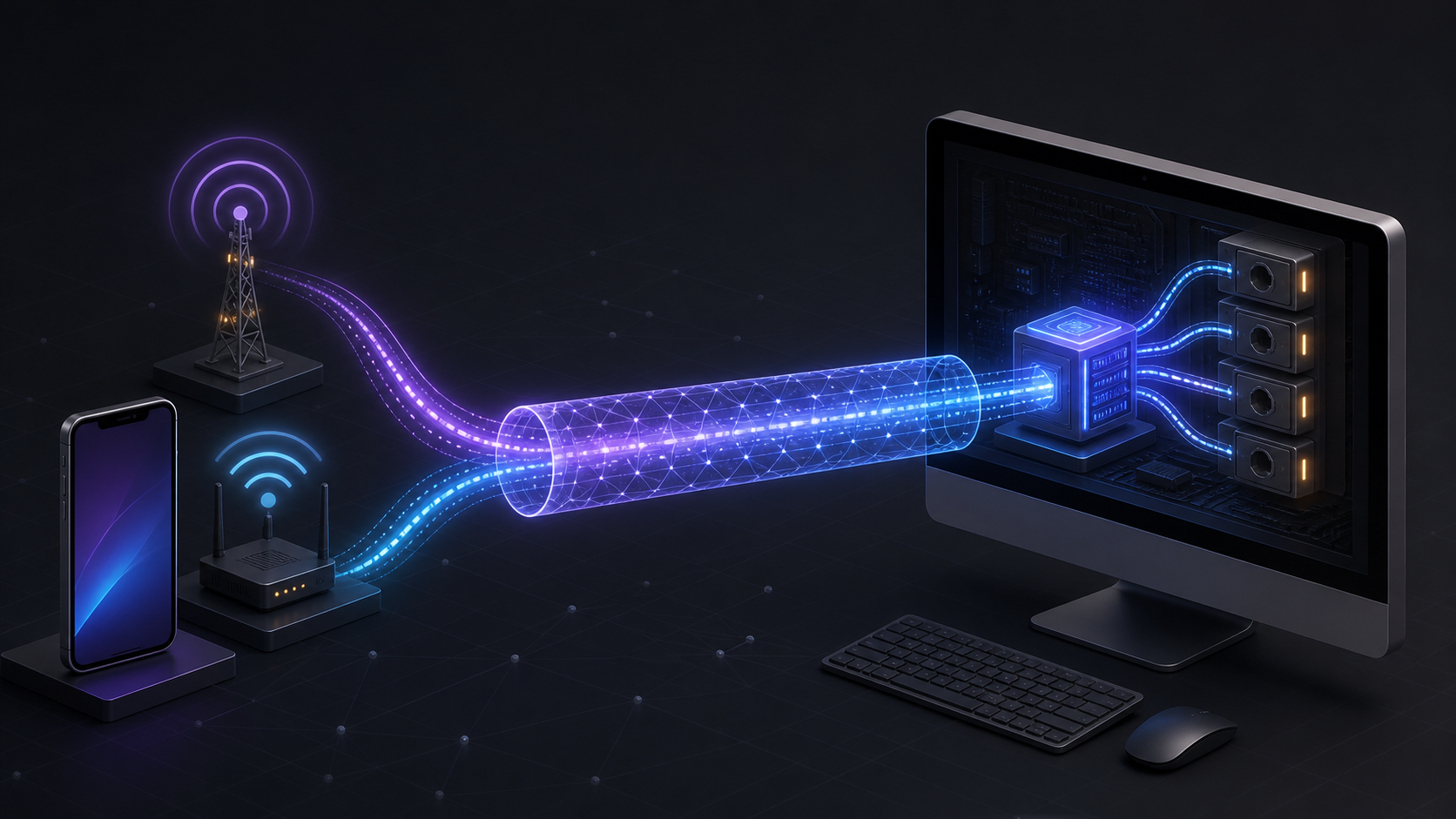
The illustration shows different starting paths leading to the same computer. It is a conceptual image, not a record of a real network configuration or a product interface.
What do an IP address and a port tell you?
In http://100.x.y.z:4173, http names the communication scheme, 100.x.y.z is the destination IP address, and 4173 is the destination port. The letters x.y.z are placeholders; to connect, use the actual numbers assigned to your Mac.
| Concept | The question it answers | In this example |
|---|---|---|
| IP address | Which network address should receive this? | The Mac's LAN or Tailscale address |
| Port | Which communication endpoint at that address? | TCP 4173 |
| Binding | Which local address and port should the server use? | 127.0.0.1:4173 or 0.0.0.0:4173 |
| Process | Which running program handles the request? | A running Node program |
Thinking of an IP address as a device's name tag is a useful start. But one computer can have several addresses. Its Wi-Fi address, Tailscale address, and loopback address serve different purposes. “What's the Mac's IP?” naturally leads to a second question: “How are you trying to reach it?”
A port is a number the operating system uses to distinguish network communication. TCP and UDP each use port numbers, so the same number in each protocol identifies a different endpoint. The number range is 0–65535, with 0 reserved. IANA port registry
Several processes can share a service port. Node's cluster, for example, lets workers divide the work of handling connections to the same server port. Knowing the port number alone tells you little about how many processes handle those connections. Node.js cluster documentation
Several visitors can connect to the same port 4173. TCP distinguishes connections using the IP address and port at each end. The phone has a source port as well, allowing separate connections to share the server's destination port. TCP specification, RFC 9293
On your phone, localhost points somewhere else
localhost and the IPv4 loopback address 127.0.0.1 refer to the device making the request. On your Mac, that's your Mac. On your phone, it's your phone. Loopback addresses aren't forwarded as ordinary remote destinations. IANA special-purpose IPv4 address registry
The phone needs the Mac's actual LAN or Tailscale address. If you have the right destination and still can't connect, the next question is where the server is listening.
Binding selects the addresses a server accepts
A server bound only to 127.0.0.1:4173 accepts connections through the Mac's loopback address. A request sent by the phone to another Mac address doesn't target that listener. Here, a listener means the server-side socket waiting for new connections.
Binding to 0.0.0.0:4173 means listening on all local IPv4 addresses instead of selecting one. The phone still needs the Mac's actual address as its destination. 0.0.0.0 is not a public address that anyone can use to find your computer.
In Node, omitting host means listening on :: when IPv6 is available, or 0.0.0.0 otherwise. Whether an IPv6 listener also accepts IPv4 depends on the operating system and configuration. When investigating a connection problem, check both the address in the server logs and its actual listening state. Node.js server.listen documentation
| Address the server is configured to accept | Meaning | What this alone does not guarantee |
|---|---|---|
127.0.0.1:4173 |
Listen on the Mac's loopback address | Direct access from a phone |
192.168.x.x:4173 |
Listen on that LAN address | Access from every device on the Wi-Fi |
100.x.y.z:4173 |
Listen on that Tailscale address | Permission for every tailnet member |
0.0.0.0:4173 |
Listen on all local IPv4 addresses | Public internet access, firewall permission, or login |
Once you know where the server is listening, check the route, firewall and access policies. Even with the correct binding, a restriction along the way can prevent the request from reaching it.
On the same Wi-Fi, traffic needn't travel out to the internet
If the phone and Mac are on a LAN that allows them to communicate, the phone can connect to the Mac's LAN address. Traffic reaches the Mac through the local network, including its Wi-Fi access point, and the operating system delivers it to the server socket. There is no need to take a trip out to the internet and back.
Even when both devices show the same Wi-Fi name, a guest network, client isolation, or the Mac's firewall may block the connection. In that case, check the network's access restrictions as well as the server's binding.
Outside the house, 192.168.x.x presents a different problem. That private address doesn't uniquely identify your home Mac on the public internet. Other households can use the same number. Your phone needs another route into the home network. The reason private addresses have no global meaning is set out in RFC 1918.
Tailscale provides a path from outside
With Tailscale connected on both devices, a phone and Mac on different physical networks can join the same private network, called a tailnet. Tailscale's IPv4 addresses normally come from 100.64.0.0/10: 100.64.0.0–100.127.255.255. Not every address beginning with 100 is a Tailscale address. Tailscale address documentation
IANA classifies the range as shared address space that is not globally reachable over the public internet. IANA IPv4 registry
The devices initially exchange connection information through DERP relay infrastructure and try to establish a direct path. If direct connectivity isn't possible, they can use an available Peer Relay or remain on DERP. All three methods use WireGuard end-to-end encryption; direct connections generally offer better latency and throughput. Tailscale connection types
This setup does not require publicly forwarding the web server's port 4173 on your home router. If the network blocks Tailscale's own connectivity, that restriction needs attention first.
The request takes these steps:
- The phone's browser attempts a connection to the Mac's Tailscale address on TCP
4173. - Tailscale on the two devices carries the traffic over a direct or relayed path.
- The connection succeeds if access policies and the Mac's firewall permit it and a listener is waiting on the destination address and port.
- The Node program handles the HTTP request, and the browser receives the response and displays the page.
Within a tailnet, policies such as Tailscale grants or ACLs can limit which users or devices may connect to particular destinations and ports. Check both whether the server accepts connections and whether the user has permission to connect. Tailscale grants documentation
If the page won't open, narrow it down one step at a time
Changing several settings at once makes it hard to find out what was wrong. Use the table below to narrow down where to look. A symptom can have several causes; each row gives you a starting point for investigation.
| What you observe | What to check first |
|---|---|
| The page won't open on the Mac itself | Whether the process is running, whether the port really is 4173, and whether server logs show an error |
| It works on the Mac but not on the phone | Whether the phone's URL contains localhost, and whether the server listens only on loopback |
| The LAN address fails even on the same Wi-Fi | The Mac's current LAN address, its firewall, and guest-network or client-isolation settings |
| The LAN address works but the Tailscale address doesn't | Tailscale connectivity on both devices, the destination address, access policies, and the listener for that address |
| You connect but get an error page | The HTTP status, server logs, requested path, and application authentication requirements |
Tailscale's troubleshooting guidance also checks device state, policies, firewalls, and services. A VPN connection indicator doesn't establish that a web server is working. Tailscale device connectivity troubleshooting
If you use the Mac's launchd to manage the server, check the job configuration too. Restart behavior depends on settings such as KeepAlive. It can also be configured to open sockets and pass them to a program. Process management still doesn't supply an external network route or application authentication. Apple's launchd guide
Look again at http://actual-Mac-IP:4173. Changing that IP, changing the server's binding, and changing a Tailscale policy solve different problems. The next time a page won't load, go beyond “the server doesn't work.” Ask where the request was sent, which route it took, and what was waiting when it arrived.